Follow your instructions for use
from approval to audit.
You approve the instructions for use in your quality system. YDNTFY does everything after: publishes them per market, puts them in front of the right clinician in the right language, and keeps the record.
No consultant. No implementation project. No one hired to run it.
YDNTFY starts where your quality system stops.
We don't review or approve your instructions for use. That happens in your quality system, and you're not going to replace it. We take the approved file and handle everything downstream — publication, languages, markets, discovery, paper copies, updates, and the evidence that all of it happened. Built for medical device and IVD manufacturers under MDR and IVDR.
Where your team works.
The catalogue, versions, markets, languages, and the evidence. Only your people see it.
What your customers see.
Your brand, your domain, their language. A clinician never knows we exist.
Start with everything you already have.
You have the documents. They're approved, and they're on a shared drive.
Get them in whichever way suits the size of the job — one at a time in the portal, two hundred at once from a spreadsheet, or pushed straight from your own systems once the API lands.
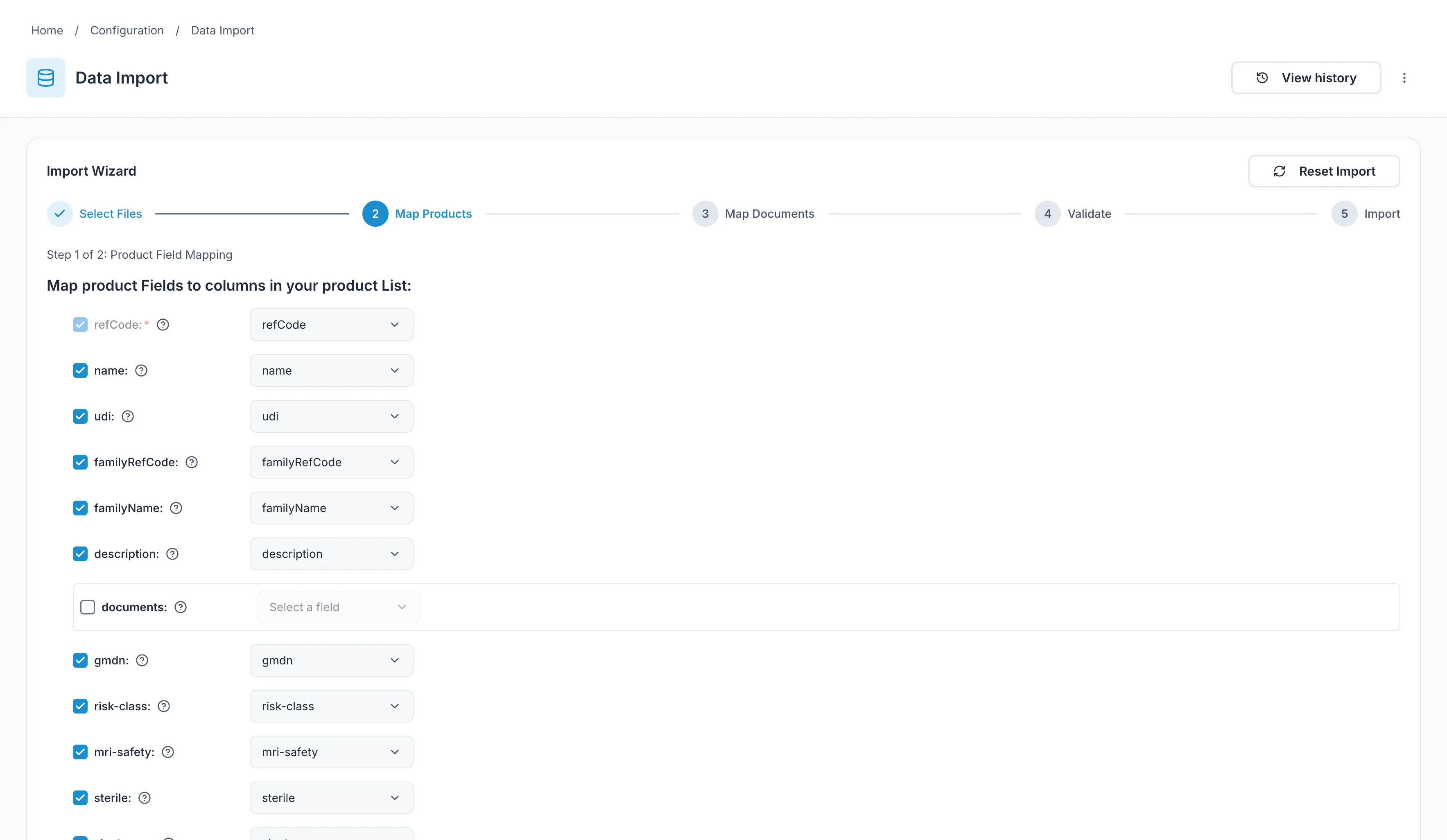
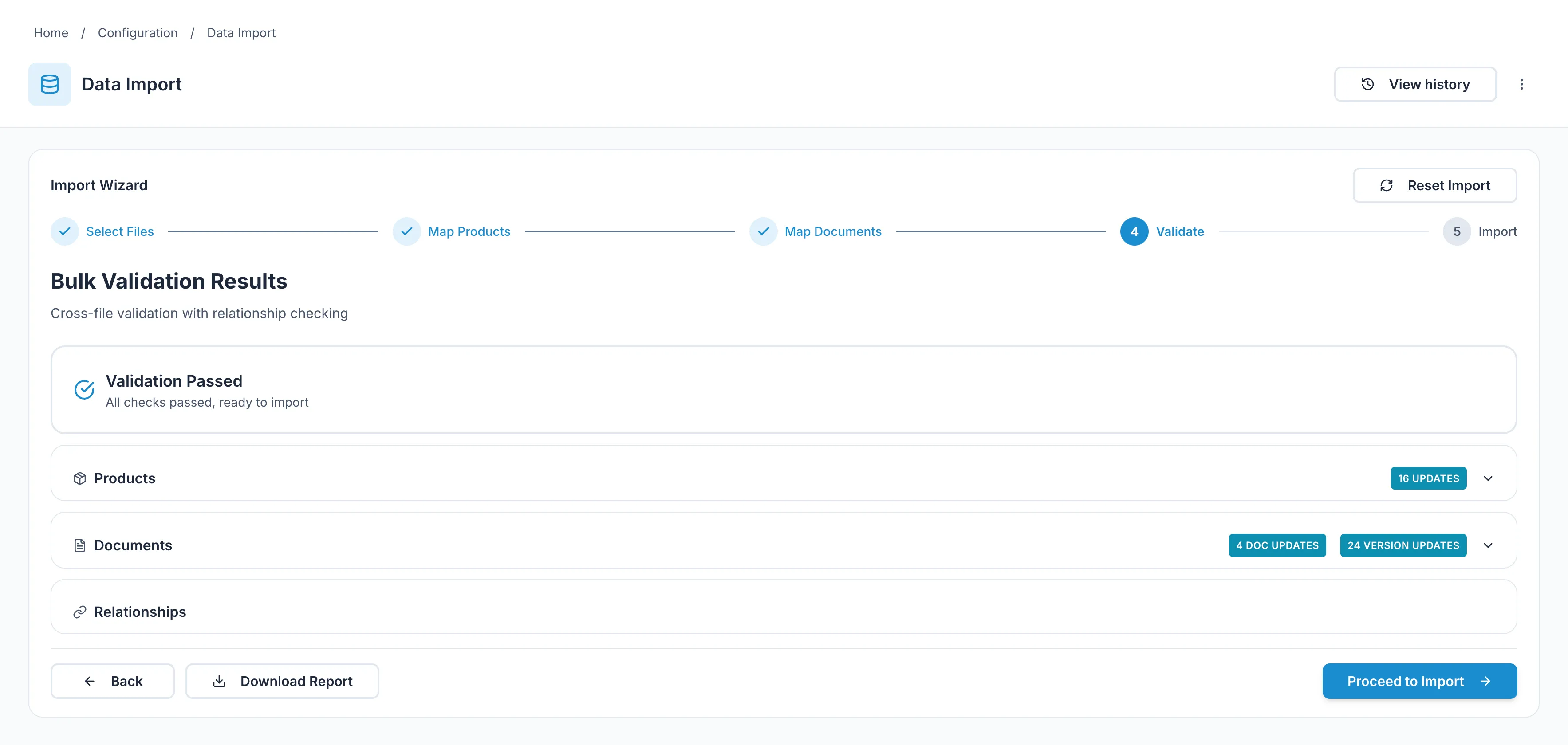
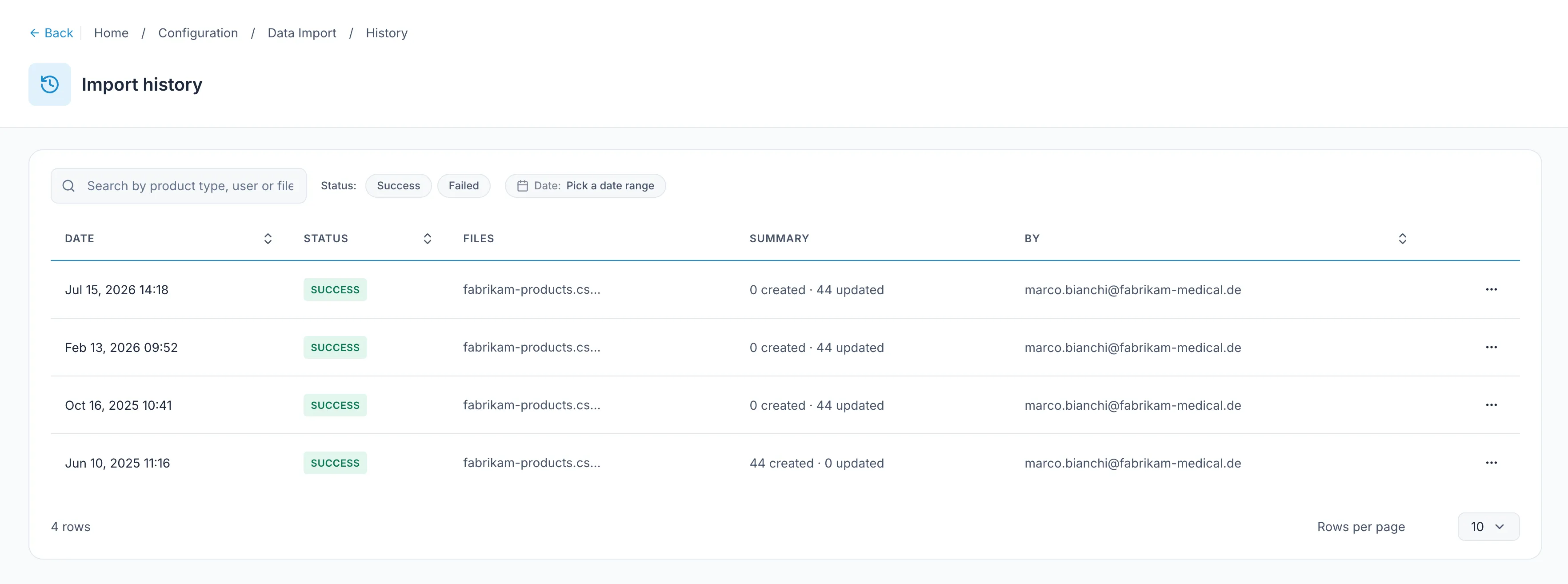
Bringing them in bulk? YDNTFY checks the file first and shows you every problem while your catalogue is still untouched. Fix the spreadsheet, run it again. Nothing changes until it's right.
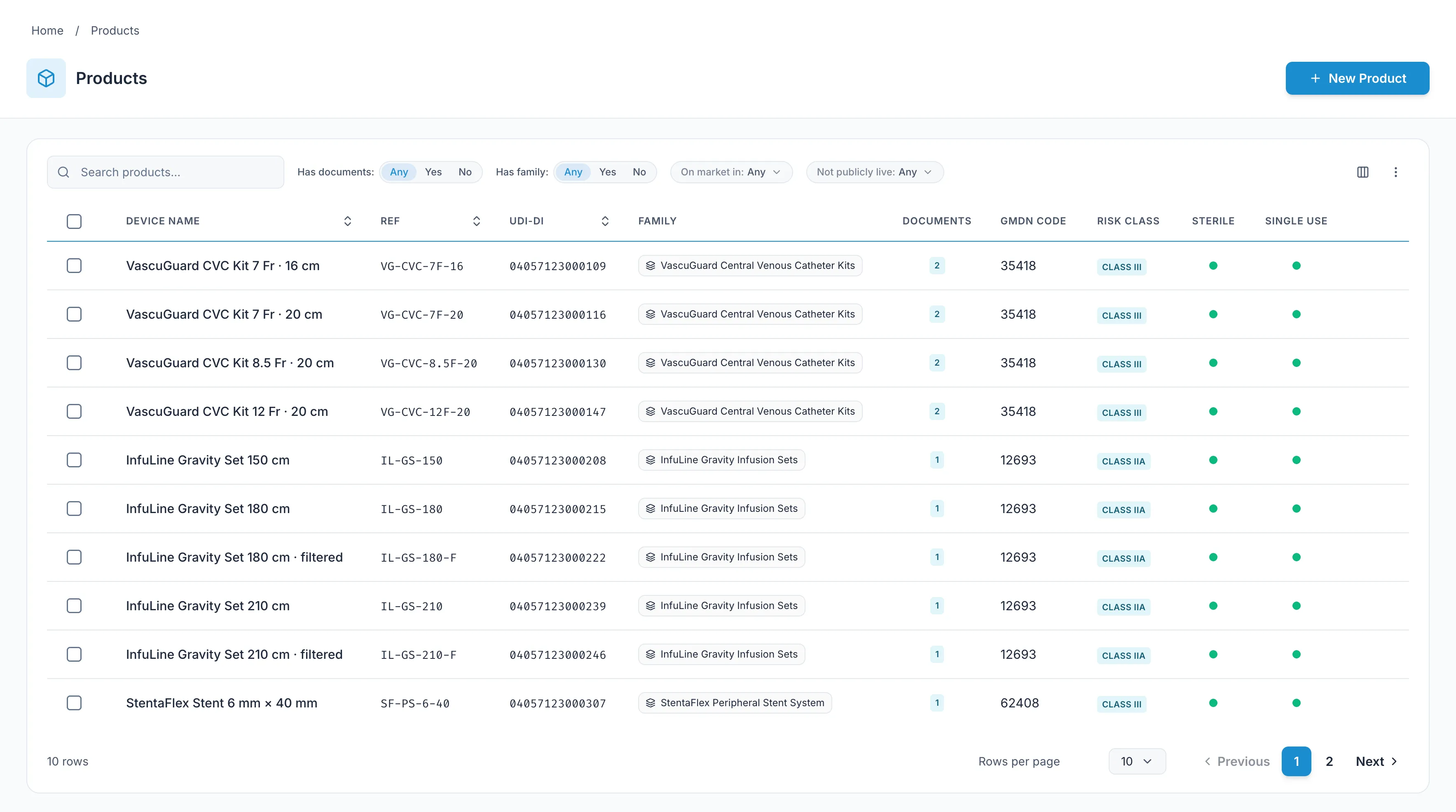
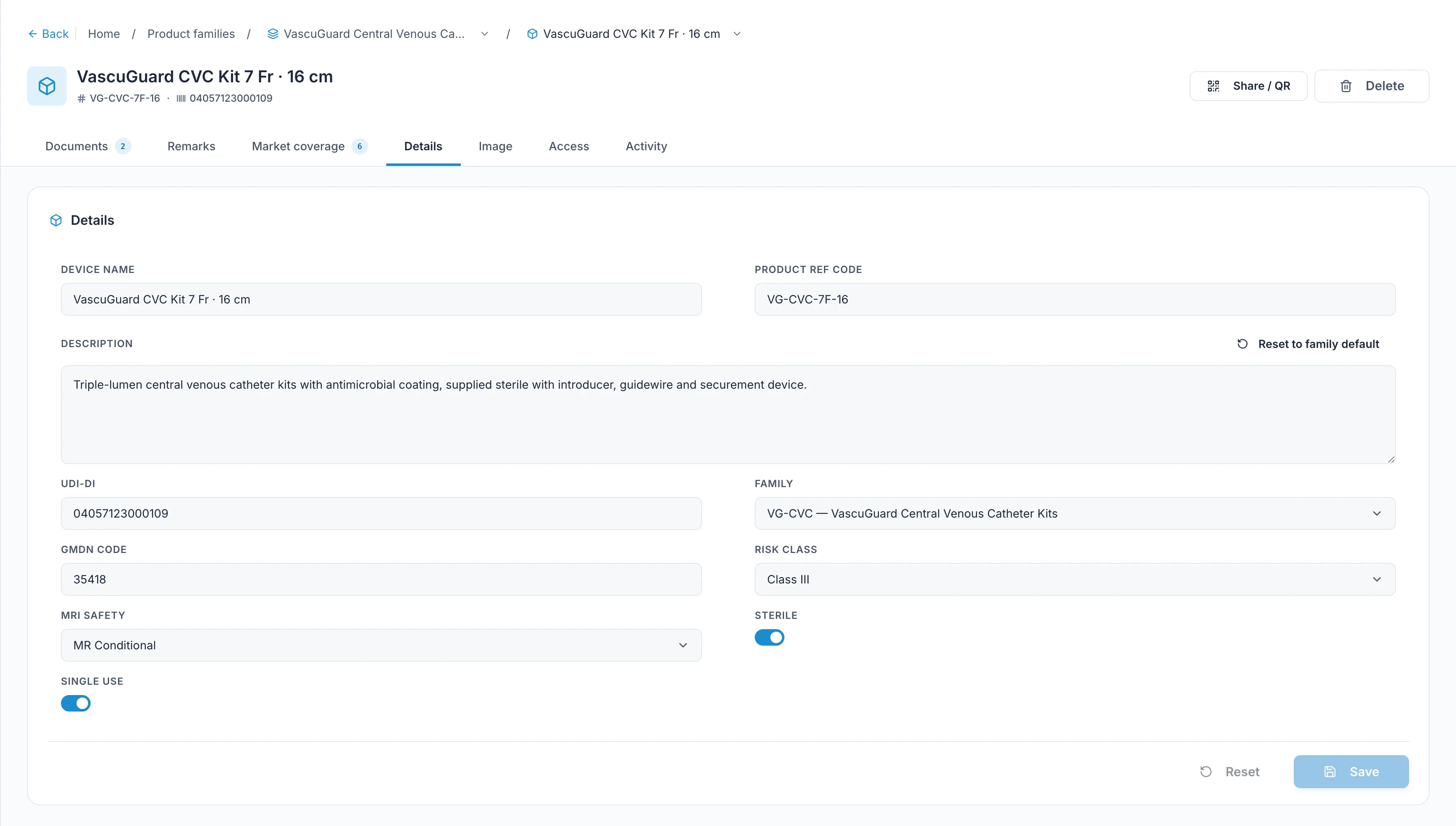
Then it has a shape: families, products, documents. Products are identified by your REF codes — the same codes already printed on the box and already used by the people who'll come looking.
And the shape is yours to set. Risk class, GMDN code, MRI safety, sterile, single-use — we didn't decide you needed those fields; you added them. A field can be text, a number, a date, a yes/no, or a list whose values you control, and you say which ones are mandatory, which must be unique, and which show up in the header of every product page.
- REF code required and unique.
- Add your own fields: text, number, date, yes/no, or a controlled list.
- Add a product or a document by hand, in a form.
- Or in bulk: products from a CSV, documents from a CSV plus a ZIP.
- Bulk imports validate first, commit second.
- Download a template so you're not guessing at column names.
In the portal
Add a product, upload a document, fill in a form. Nothing to prepare, nothing to install. This is how most days go once you're running.
From a spreadsheet
A CSV for products, a CSV plus a ZIP for documents. Validated before anything commits. This is how you move a back catalogue in an afternoon.
Over the API
Push products and documents straight from the systems you already run, so nobody re-types anything.
Coming Q4Publish per market. On the date you choose.
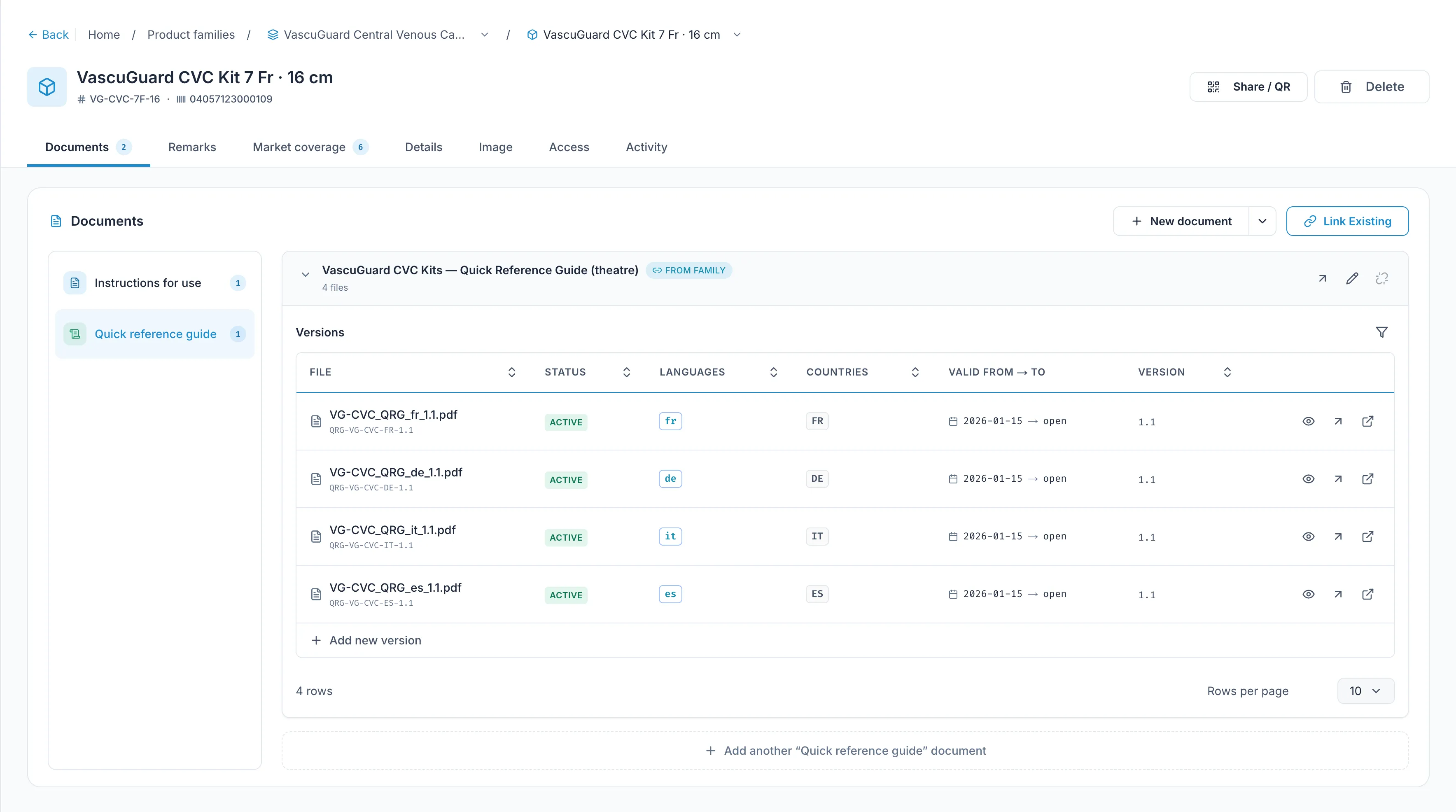
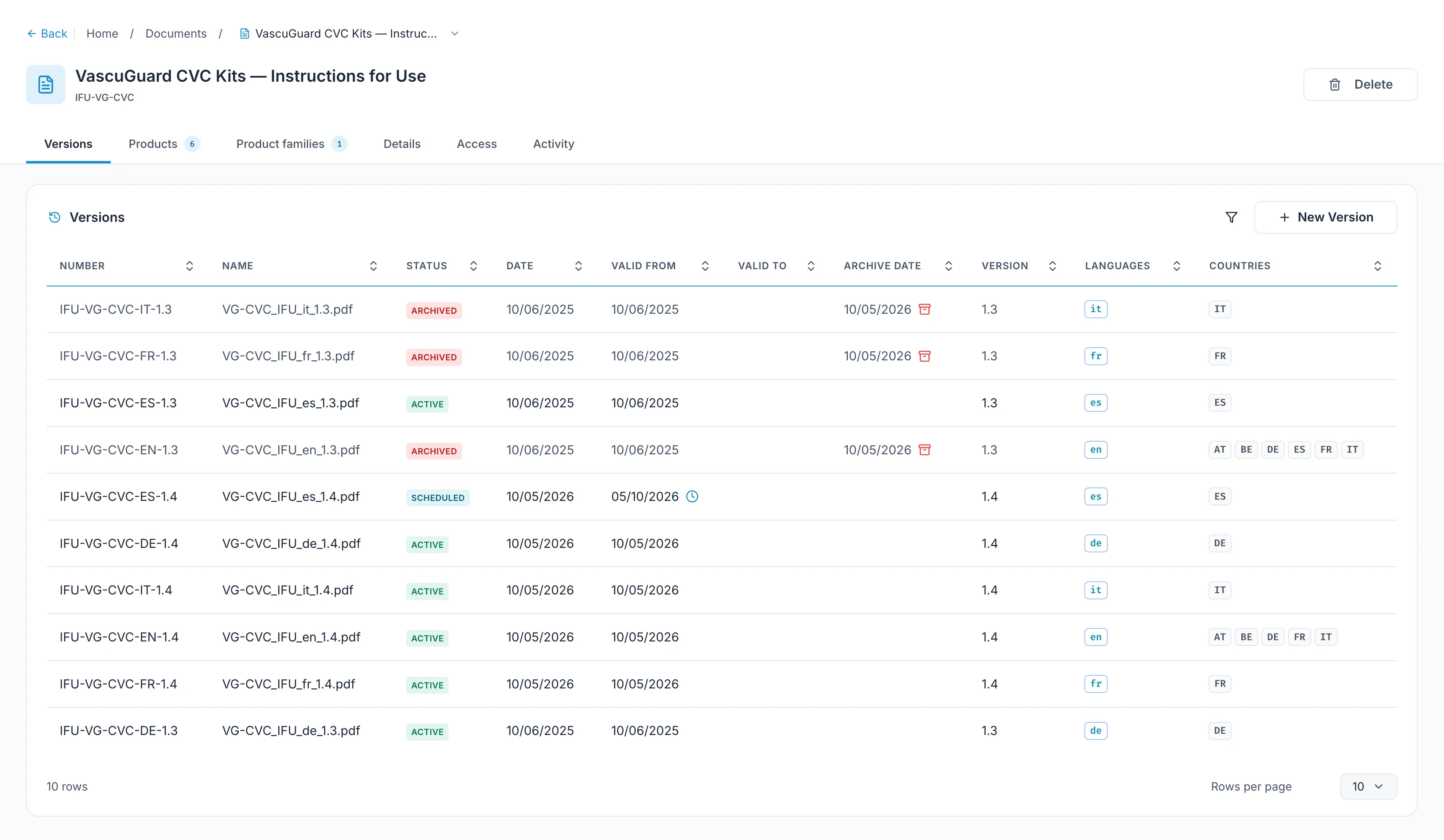
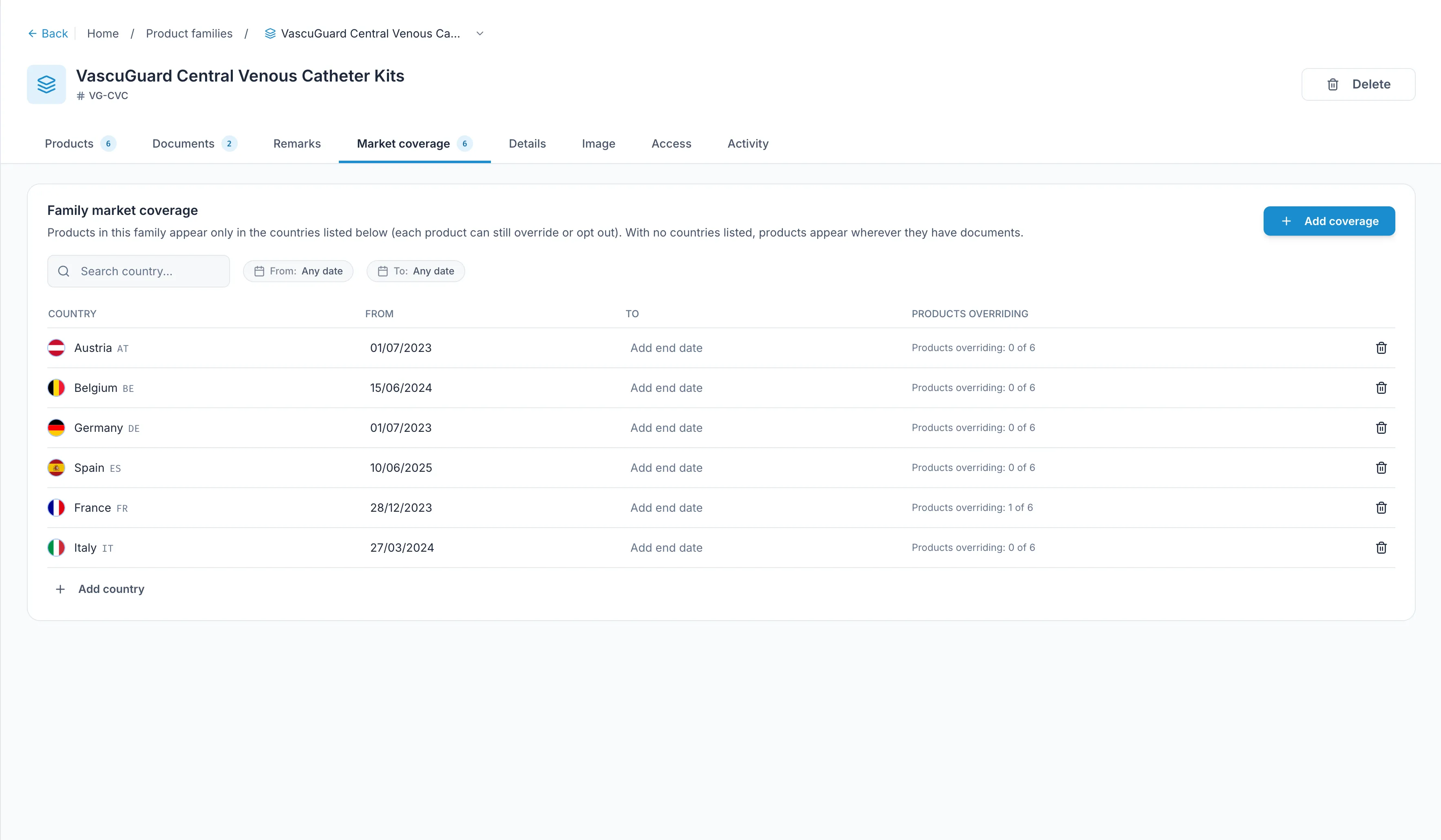
A version carries three things: the date it takes effect, the countries it's valid in, and the languages it exists in. Set them once.
On that date it goes live. Not before. So you can prepare a label change months ahead and stop thinking about it.
Archive the version it replaces and it stays reachable — for as long as retention requires.
Selling in Germany and France but not the Netherlands? Say so. A market you don't serve should be a deliberate answer, not a gap someone finds later.
- Effective dates can be set in the future.
- Countries and languages live on the version — update French without touching German.
- Archived versions stay available to the people who need them.
Then it leaves your hands.
Something has to go on the box. You have two ways to do it.
Put a QR code on the label
It goes straight to that product's page. Nothing to read, nothing to type.
Or print your portal's address
People search when they get there, using the REF code already on the packaging.
Most manufacturers pick one. Both work, and nothing stops you changing your mind later — the product page is at the same address either way.
Someone goes looking.
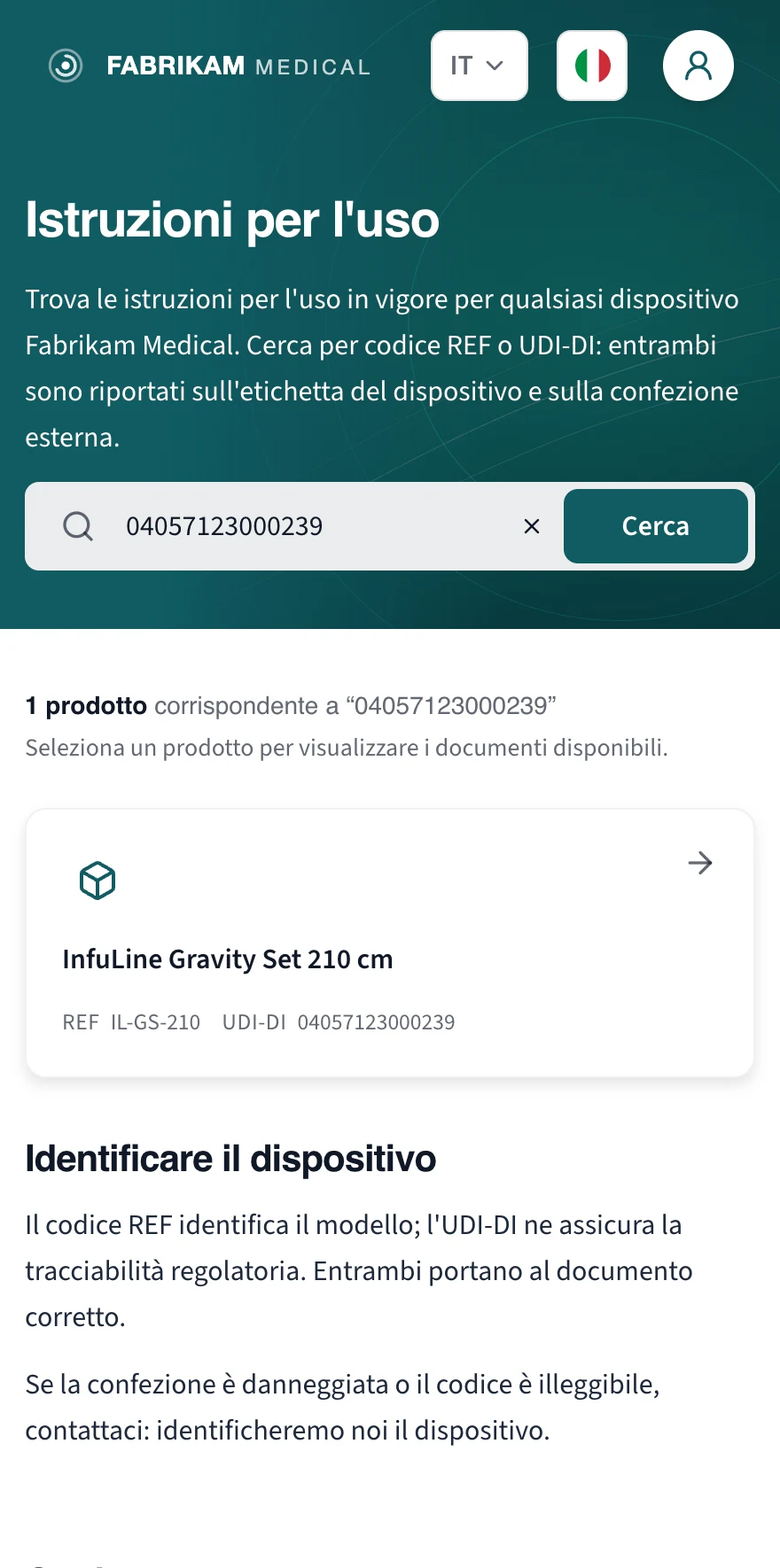
If there's a QR code, they scan it and land on that exact device. Nothing to type.
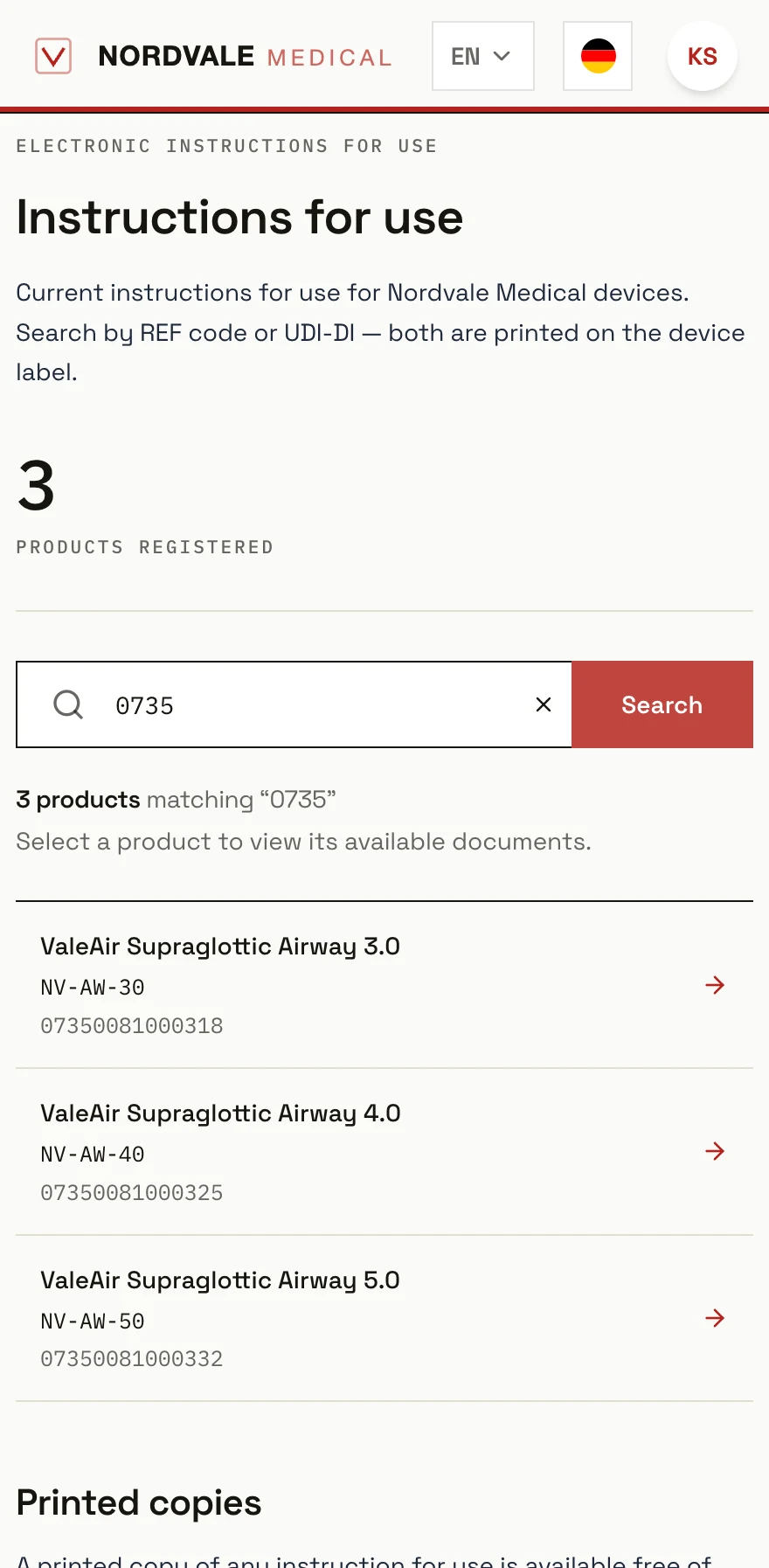
If there's an address, they type it once and search — by REF code, by product name, by whatever your customers already call it. The codes they search with are the ones already on the box.
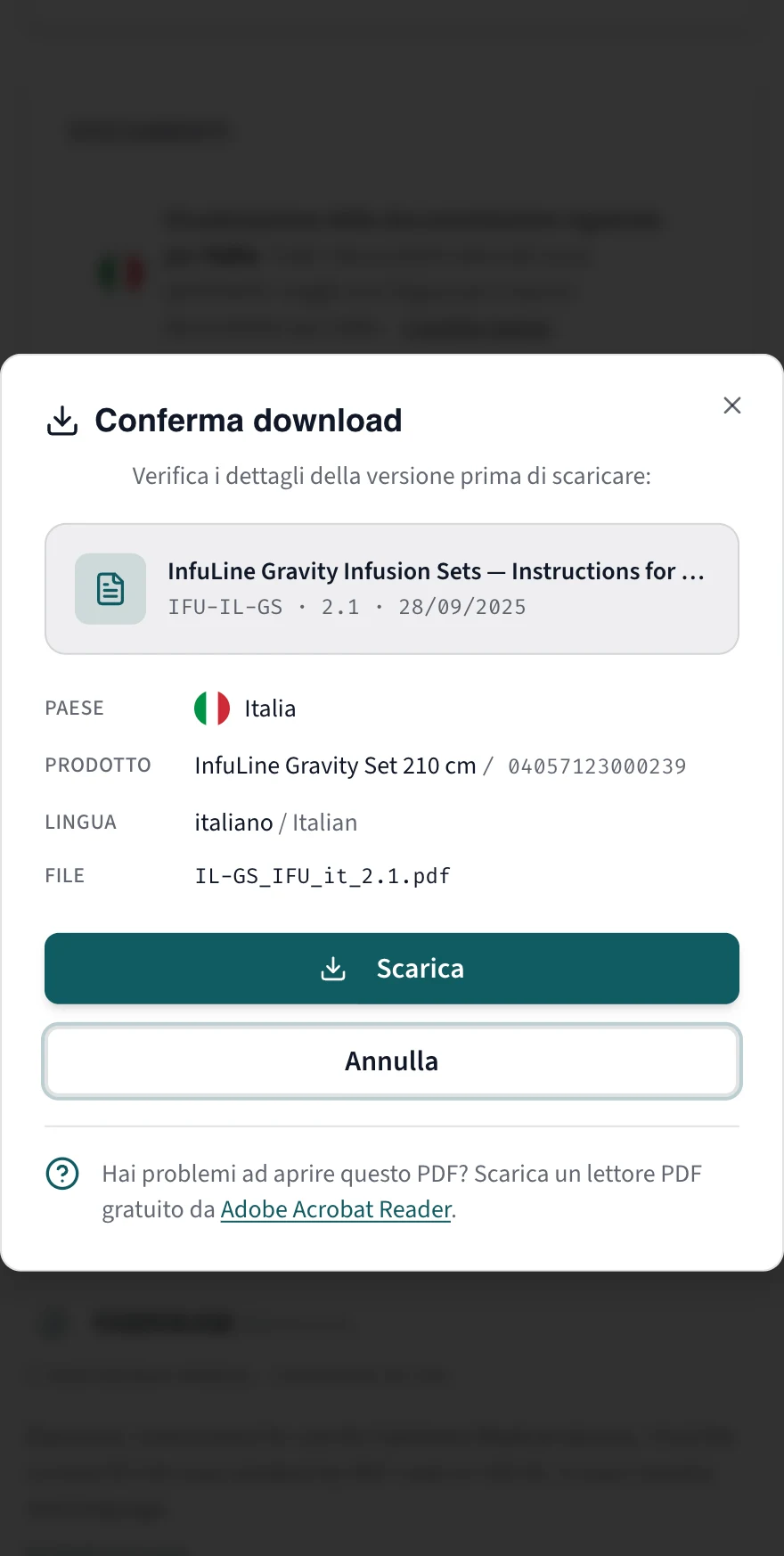
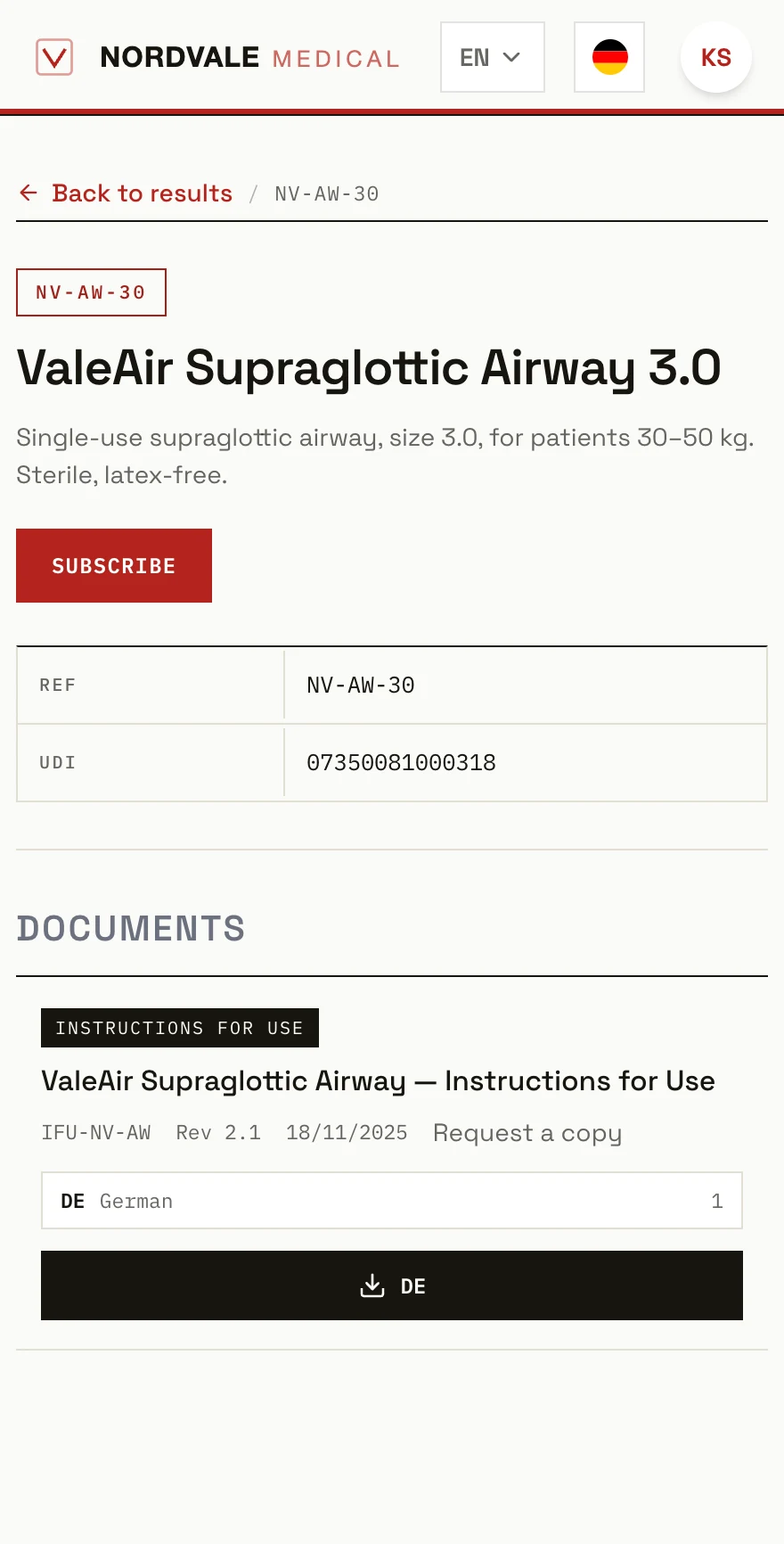
Either way they arrive at the same place, and they're two taps from the document.
They're in Italy, so they get Italian, valid for Italy. If you don't sell there, they're told so plainly — rather than handed a document that doesn't apply to them.
Built for a phone first, because this happens standing up.
- By QR code or by searching. Same destination.
- Country detected on arrival — one click to change it.
- Language follows the browser. One click to change it.
- 31 portal languages, covering all 24 official EU languages.
- Runs on your own domain. Certificates handled.
All 24 official EU languages. And seven more.
Every language you're obliged to publish in, plus Arabic, Hebrew, Japanese, Korean, Russian and both written forms of Chinese. Right-to-left included. That's the portal itself — the documents you publish through it can be in any language your markets require. If a portal language is missing, ask us — we add it free of charge.
And it's your brand.
Your logo, your colours, your domain. The clinician never sees us.
Some people need it on paper.
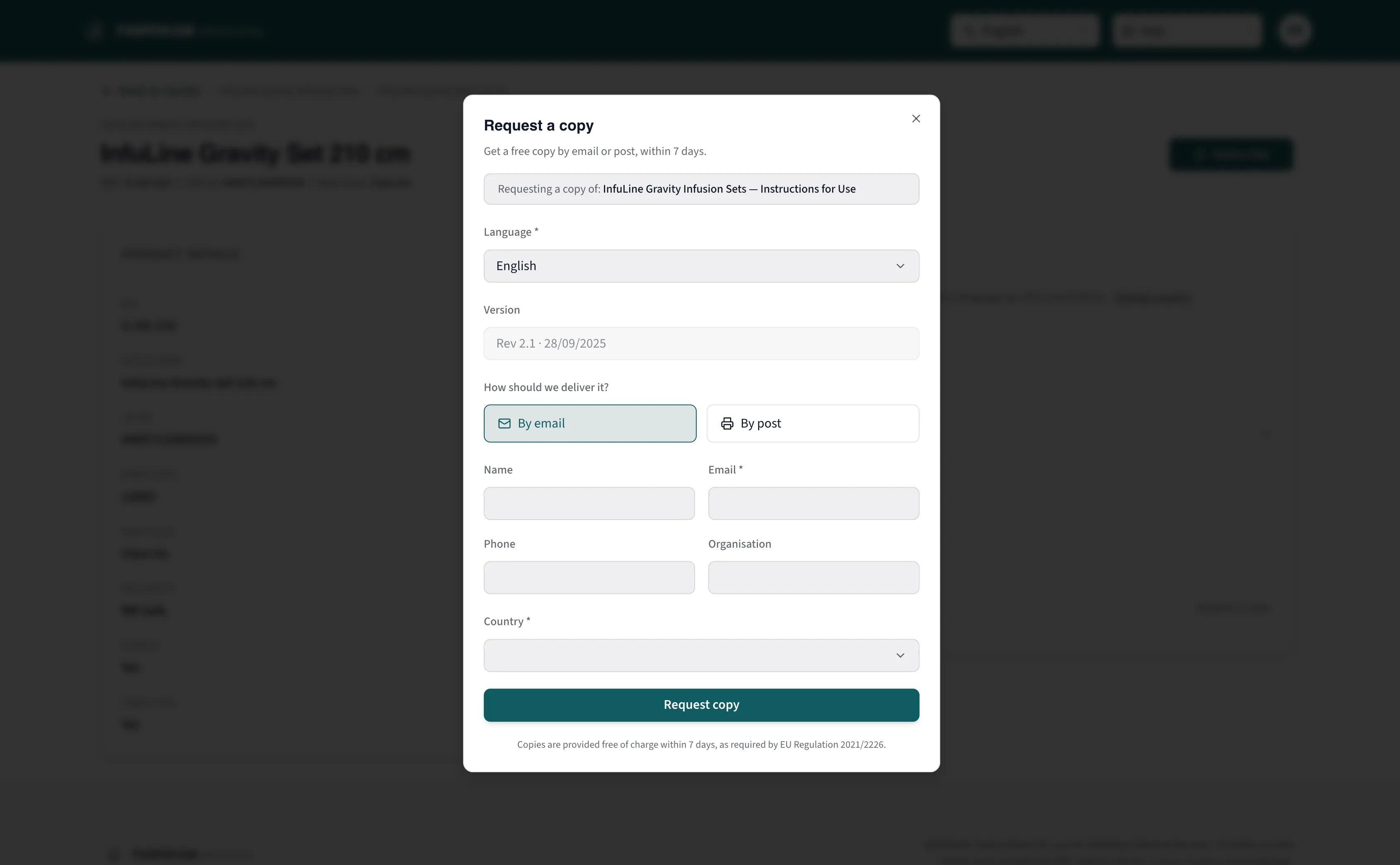
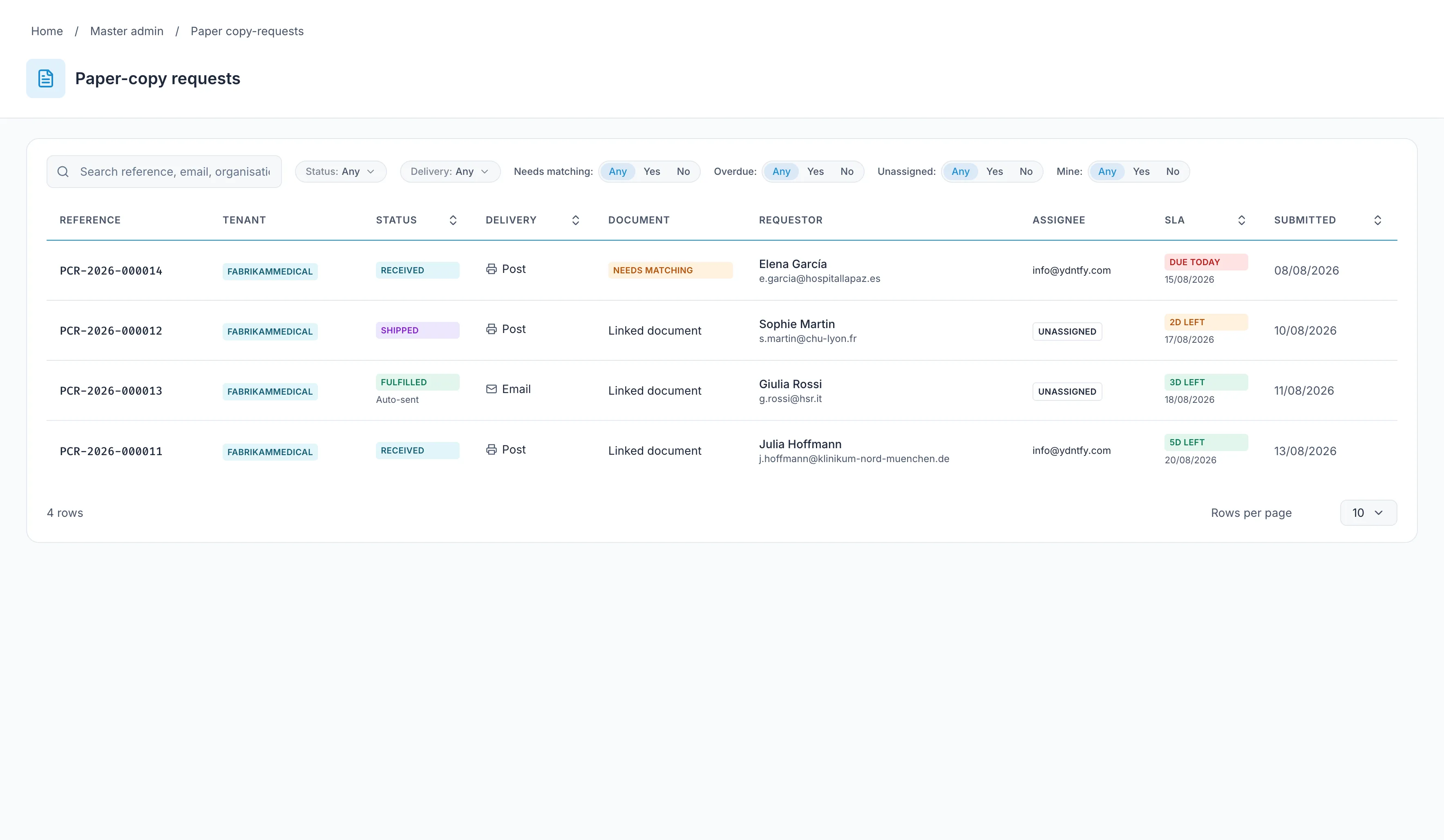
The regulation is explicit: a paper copy on request, free of charge, within seven days.
There's a request form on every product page. The request comes to us, not to you. We print it and post it.
If the person would rather have the PDF by email, they can choose that instead and it arrives immediately.
Every request gets a reference number and a clock against it. Nobody has to remember.
- By post or by email — the requester chooses.
- Seven-day clock, with reminders before it runs out.
- Confirmed by email before anything is sent, so the form can't be abused.
- Requester details are deleted after three months.
Version 1.5 replaces version 1.4.
Upload the new version, set when and where it applies, then archive the old one. Three things. Everyone following that product gets an email. You don't send it. They don't have to check.
- Upload version 1.5.
- Set the date it takes effect, the countries, the languages.
- Archive version 1.4.
Version 1.4 doesn't disappear. It stays reachable for as long as you need it to be.
CardiacMonitor M3 — version 1.5 is now the current version for your country. View it in the portal.
Sent automatically, once a day.
- Clinicians with a portal account can follow the products they use.
- Notifications go out once a day.
- Superseded versions stay available.
Then someone asks you to prove it.
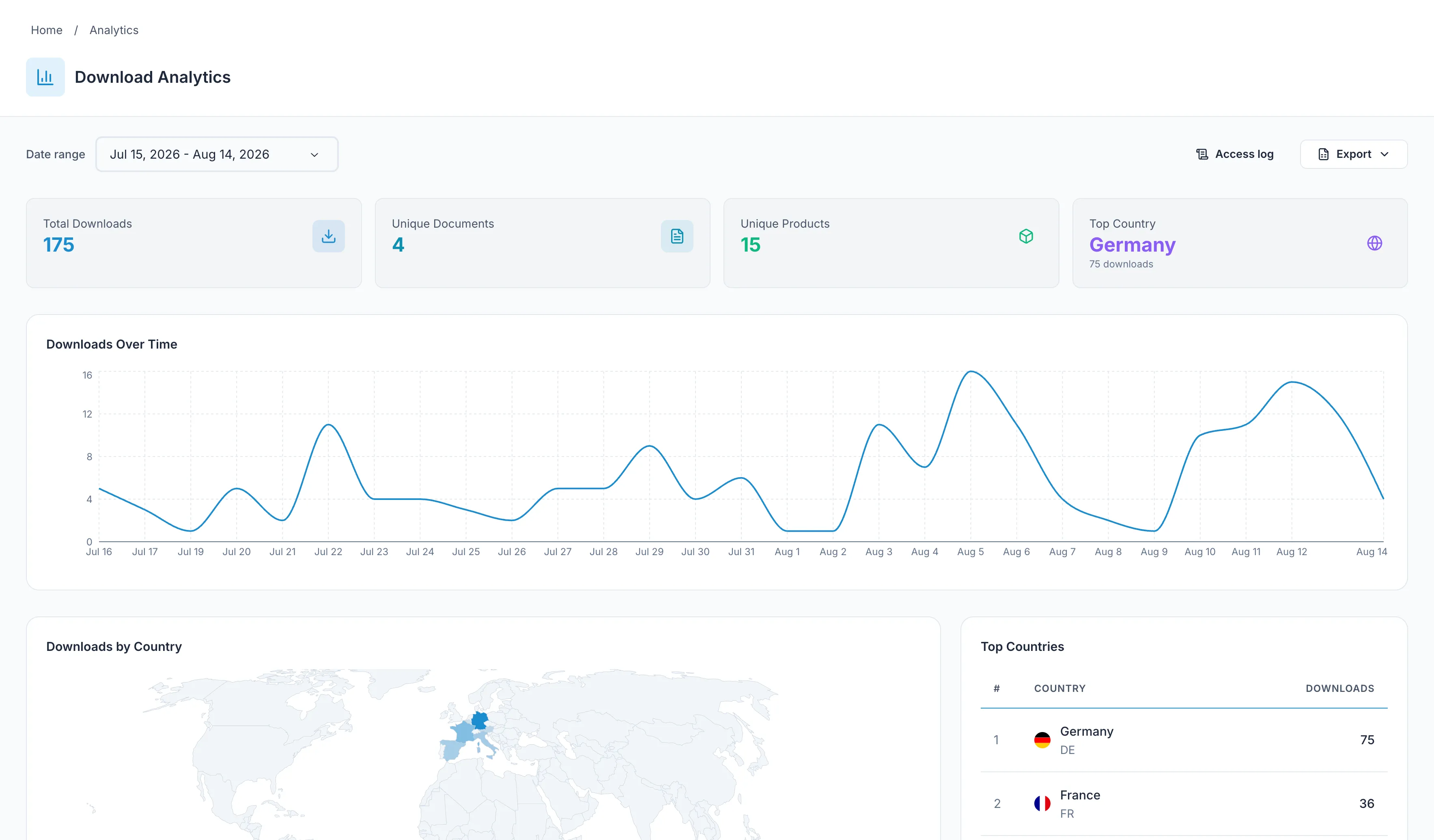
A Notified Body wants to know what was published, where, in which language, and when it changed.
Downloads by country, by document, by product, over time — exportable, and useful as post-market surveillance data rather than just a chart to look at.
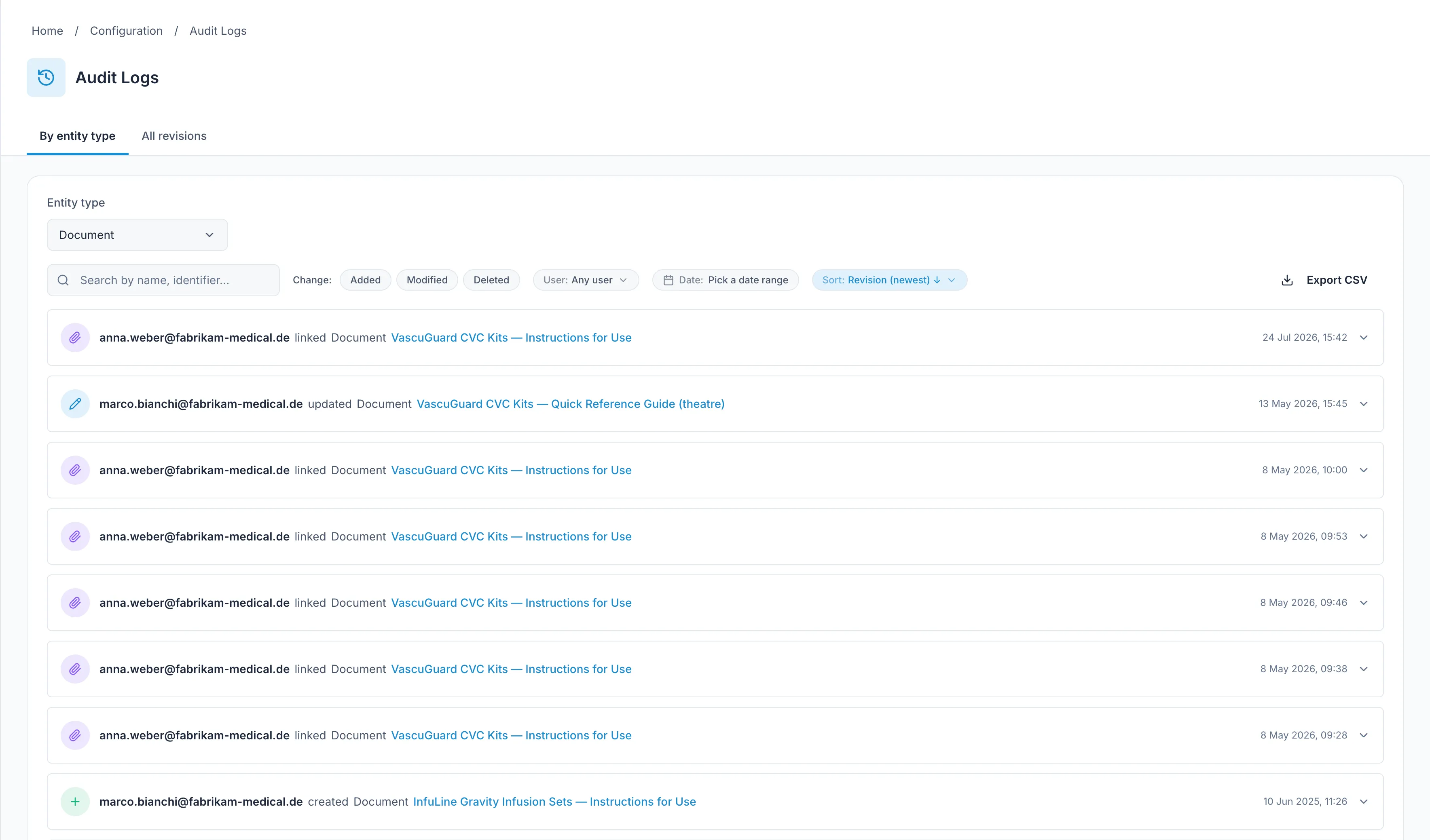
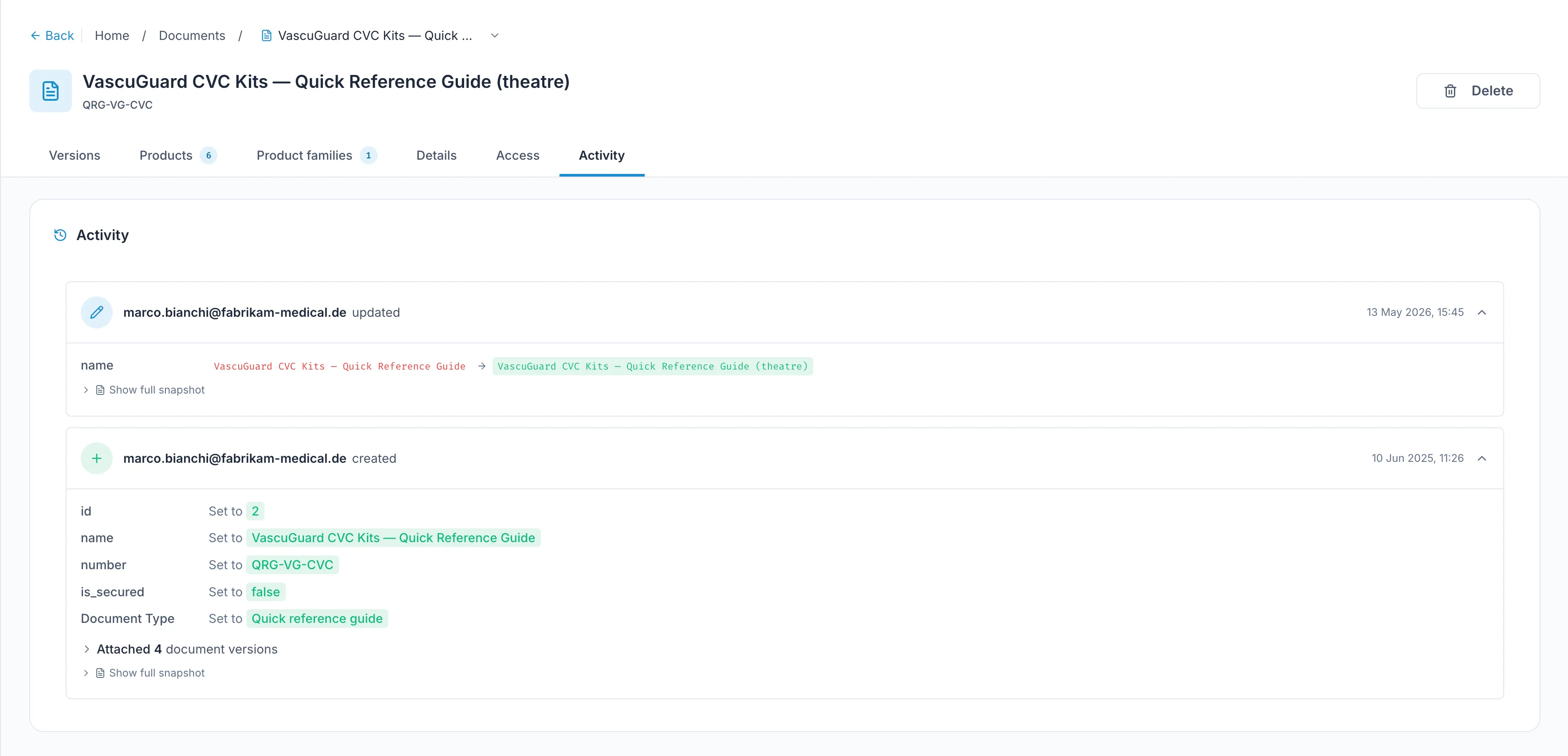
And every change to every record: who made it, when, and what it was before. Export that too.
- Download statistics by country, document, product and period.
- Full revision history on every record.
- CSV export.
For the people who ask the harder questions.
Your IT and security colleagues will have a list. Here's what we can answer without a meeting.
Single sign-on
OpenID Connect. Microsoft Entra, Okta and Google. Users are routed to the right identity provider by their email domain.
Roles
A set of standard roles covering the people who actually touch the catalogue. Underneath them sits a permission model of 30 distinct rights, so when custom roles arrive you won't be migrating anything.
Tenant isolation
A separate database schema per customer. Separate, not filtered.
Audit
Every change to every record: who, when, and the previous value.
Custom domains
Your domain, your DNS. Certificates issued and renewed for you.
Hosting
AWS in Ireland. Your data stays in the EU.
Quality system
Built under a quality system aligned to ISO 13485 and IEC 62304. ISO 27001 controls implemented, certification in progress.
What's next.
Quarters, not dates. In development means we're building it now. Planned means we know the shape and haven't started.
API integration
Push products and documents straight from the systems you already run, and pull the evidence back out. No re-typing, no export-import loop.
Coverage gap detection
You sell in twelve countries. Your documents cover nine. YDNTFY tells you which three, before someone else finds them.
Custom roles
Build the roles your team actually has, instead of fitting into ours.
Publication review
A second pair of eyes on the markets, languages and effective date before a version goes live.
Thirty minutes, your catalogue, honest answers.
We'll walk through the product against your actual situation — what's there, what isn't, and whether we're the right fit. If we're not, we'll say so.